.png?alt=media)
Access projects from the homepage by clicking on the project name
Access projects from the homepage by clicking on the project name

Click the Add project button to start a new project
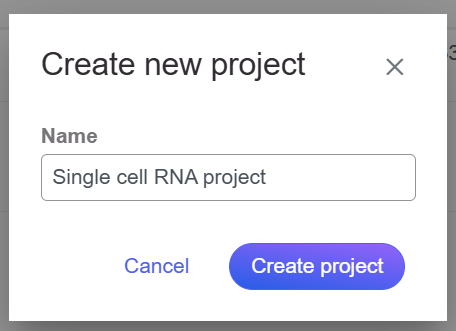
Name the project and click Create project
 Select the type of data (**Single cell, Bulk, Other**), choose the **assay** type, and select the data **format** for the files you would like to create samples from. Partek Flow accepts various data types. Use the **Next** button to proceed with import.
There are three ways you can upload the data:
1. From your Partek Flow server ([click here for more information](https://help.partek.illumina.com/partek-flow/user-manual/importing-data#navigating-the-file-browser-to-transfer-files-to-the-server))
2. From a URL
3. From a GEO / ENA Bioproject ([click here for more information](https://help.partek.illumina.com/partek-flow/user-manual/importing-data/import-a-geo-ena-project))
Because genomics datasets are generally large, it is ideal to have the data copied in a folder directly accessible to the Partek Flow server. Make sure that the directory has the appropriate permissions for Partek Flow to read and write files in that folder. You may wish to seek assistance from your system administrator in uploading your data directly.
## Basic Partek Flow layout
### The Metadata Tab
Once the samples have been created, assign the corresponding sample attributes for each sample using the **Metadata** tab.
Select the type of data (**Single cell, Bulk, Other**), choose the **assay** type, and select the data **format** for the files you would like to create samples from. Partek Flow accepts various data types. Use the **Next** button to proceed with import.
There are three ways you can upload the data:
1. From your Partek Flow server ([click here for more information](https://help.partek.illumina.com/partek-flow/user-manual/importing-data#navigating-the-file-browser-to-transfer-files-to-the-server))
2. From a URL
3. From a GEO / ENA Bioproject ([click here for more information](https://help.partek.illumina.com/partek-flow/user-manual/importing-data/import-a-geo-ena-project))
Because genomics datasets are generally large, it is ideal to have the data copied in a folder directly accessible to the Partek Flow server. Make sure that the directory has the appropriate permissions for Partek Flow to read and write files in that folder. You may wish to seek assistance from your system administrator in uploading your data directly.
## Basic Partek Flow layout
### The Metadata Tab
Once the samples have been created, assign the corresponding sample attributes for each sample using the **Metadata** tab.
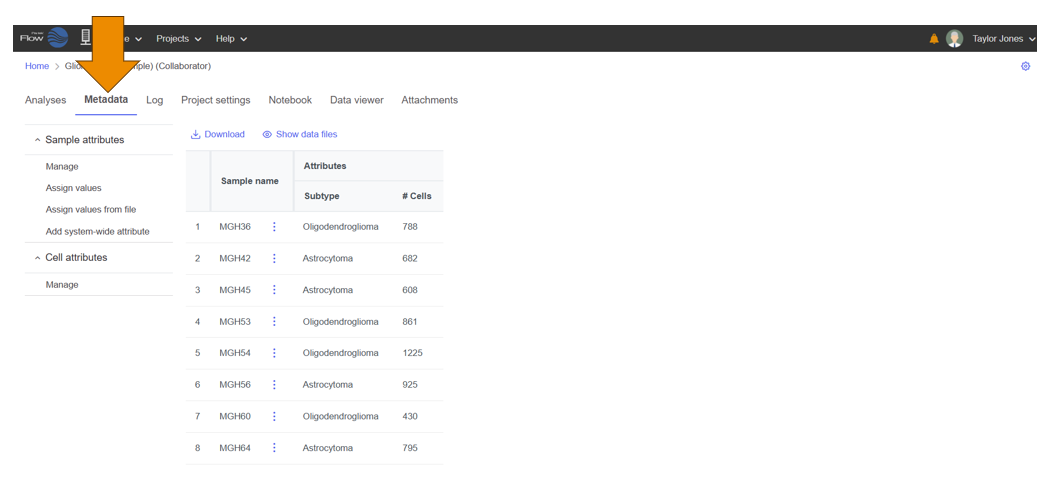
Sample and cell attributes are managed in the Metadata tab
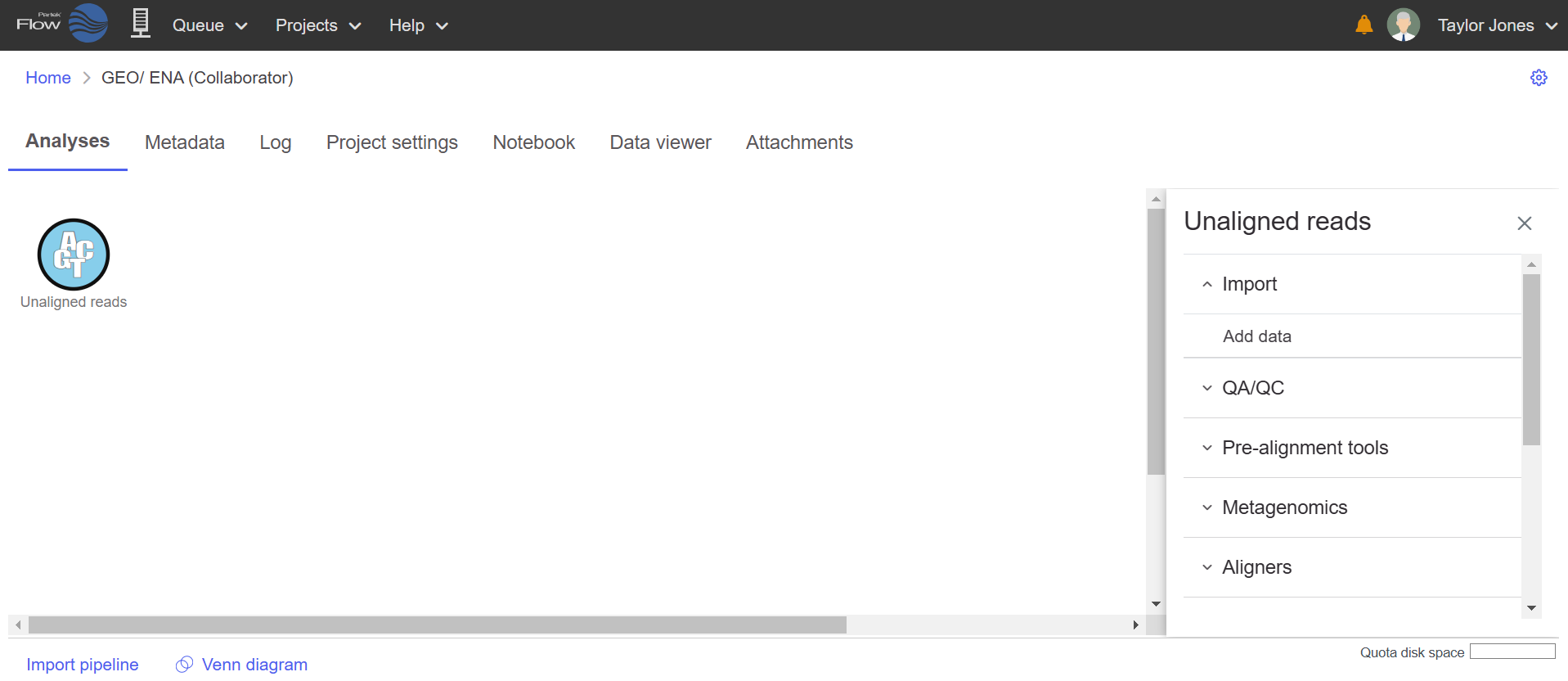
The Analyses tab showing a data node of unaligned reads. Use the Context-sensitive menu on the right to run tasks.
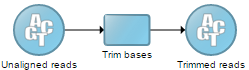
Example of a data analysis pipeline
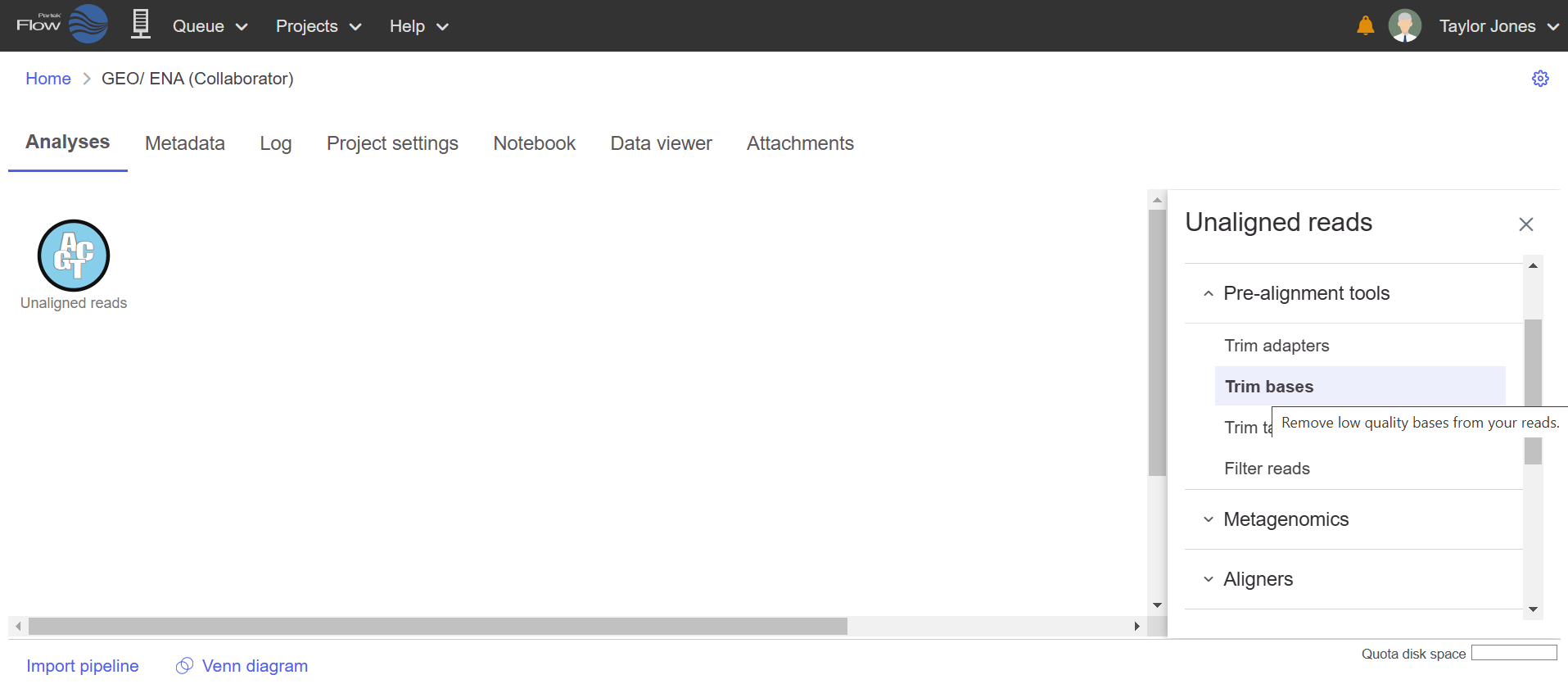
Use the context sensitive menu to run a task on the data node
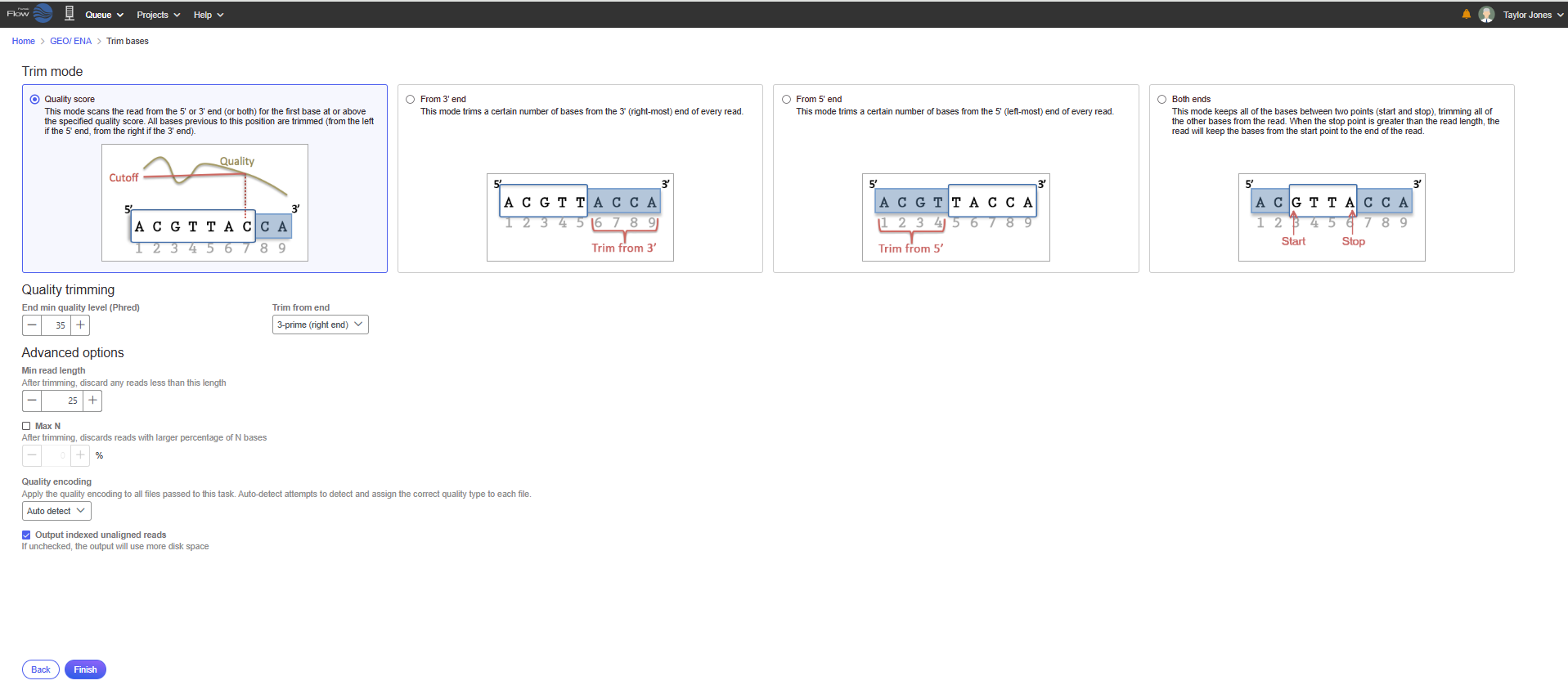
Configure the task options to meet your needs and click Finish
.png?alt=media) Tooltips or click the
Tooltips or click the  video help for decision making.
Depending on the task, a new data node may automatically be created and connected to the original data node. This contains the data resulting from the task. Tasks that do not produce new data types, such as Pre-alignment QA/QC, will not produce an additional data node.
To view the results of a task, click the data node and choose the **Task report** option on the menu.
## Saving visualizations
Some visualizations are available in the task report and others are sent to the Data viewer for modification and export.
### Save visualizations from a task report
Click Save
video help for decision making.
Depending on the task, a new data node may automatically be created and connected to the original data node. This contains the data resulting from the task. Tasks that do not produce new data types, such as Pre-alignment QA/QC, will not produce an additional data node.
To view the results of a task, click the data node and choose the **Task report** option on the menu.
## Saving visualizations
Some visualizations are available in the task report and others are sent to the Data viewer for modification and export.
### Save visualizations from a task report
Click Save  on any visualization to export a publication-quality image.
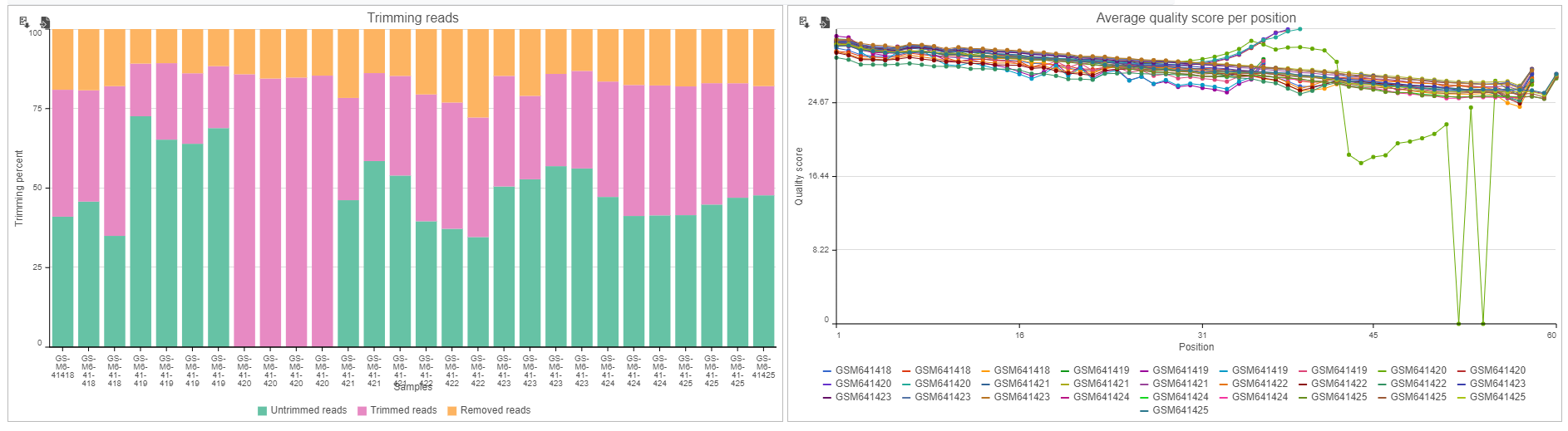
Save visualizations using the save icon
**Export image** in the top right corner of the image and select the format, size, and resolution then click **Save**.
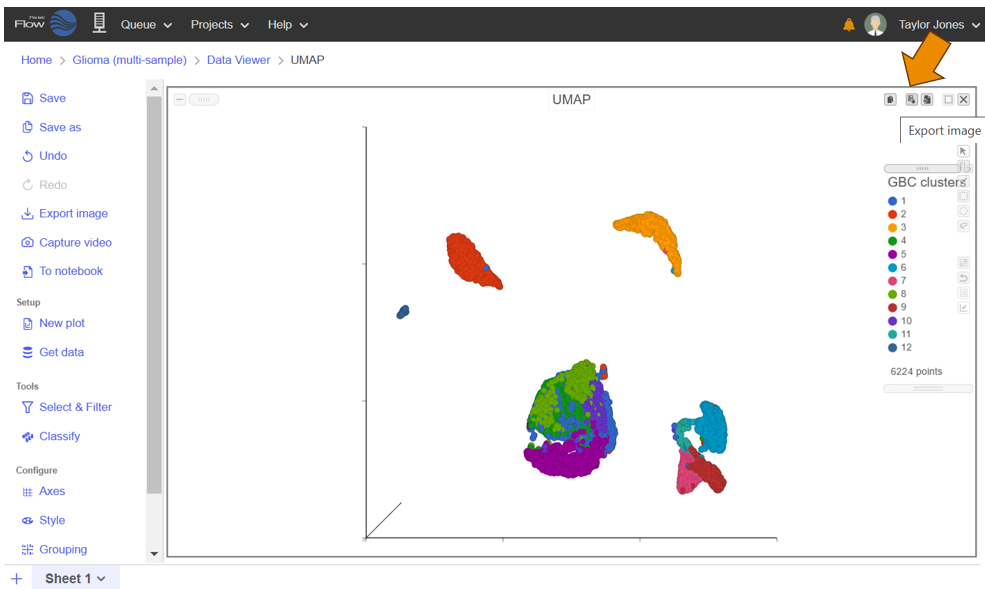
Click export image to Save the image in different formats, sizes and resolutions
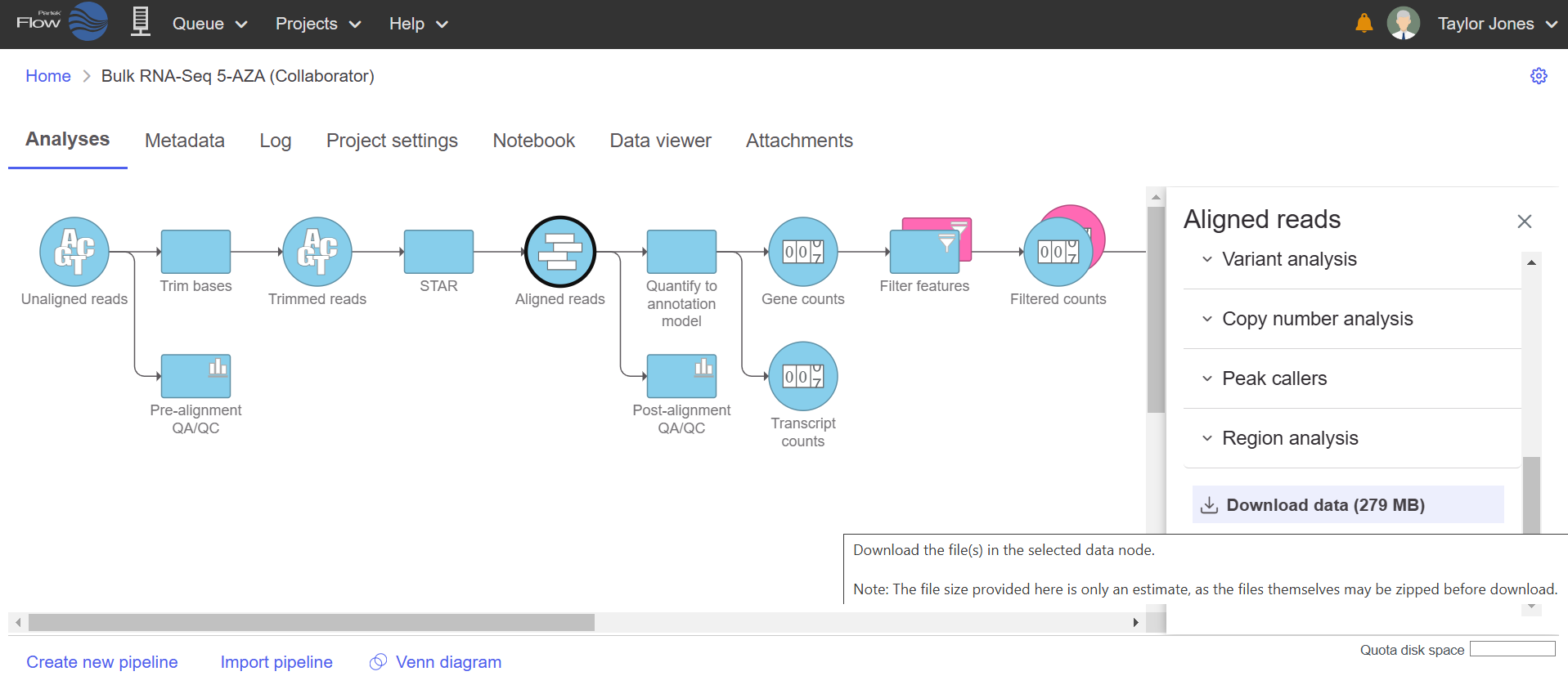
Select the data node and navigate to the bottom of the task menu then click Download data
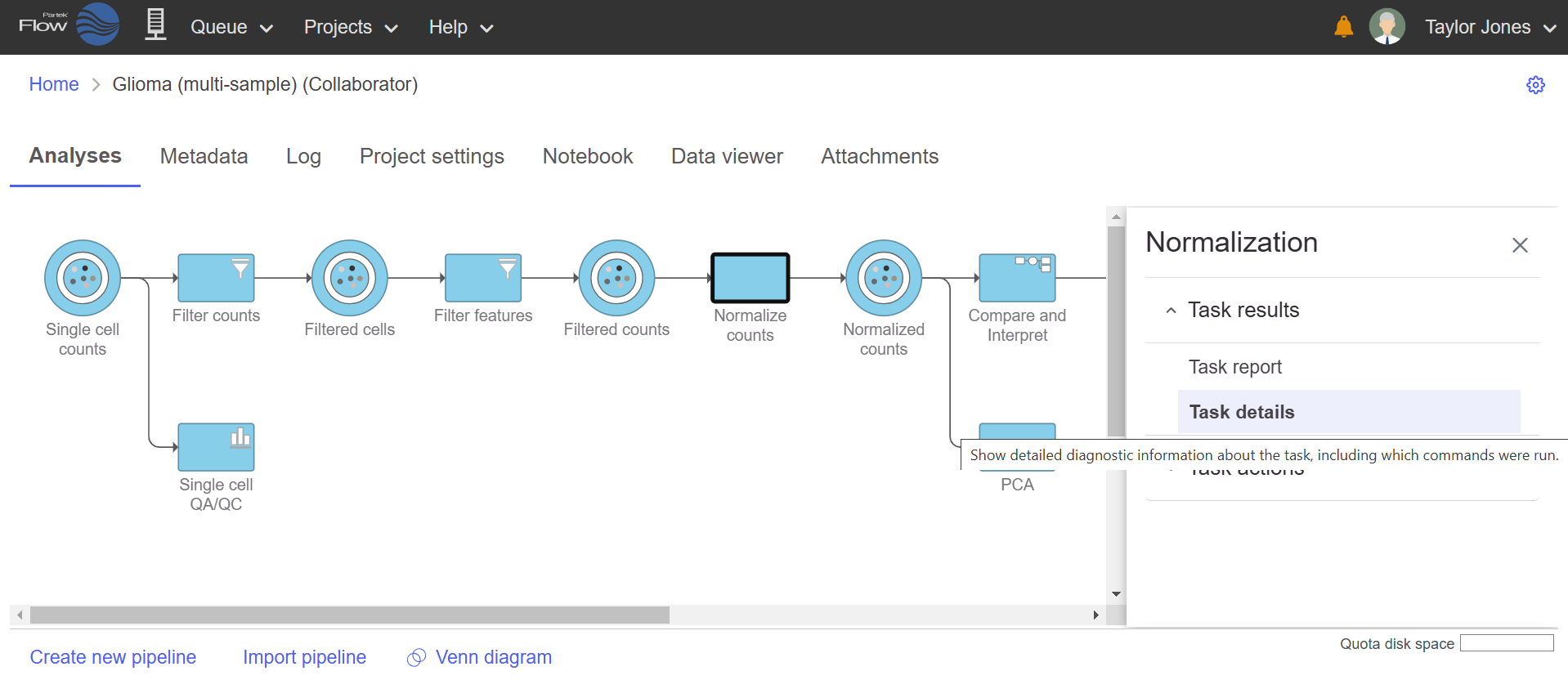
Select the task node (rectangle) and click Task details to view information about the task including the commands
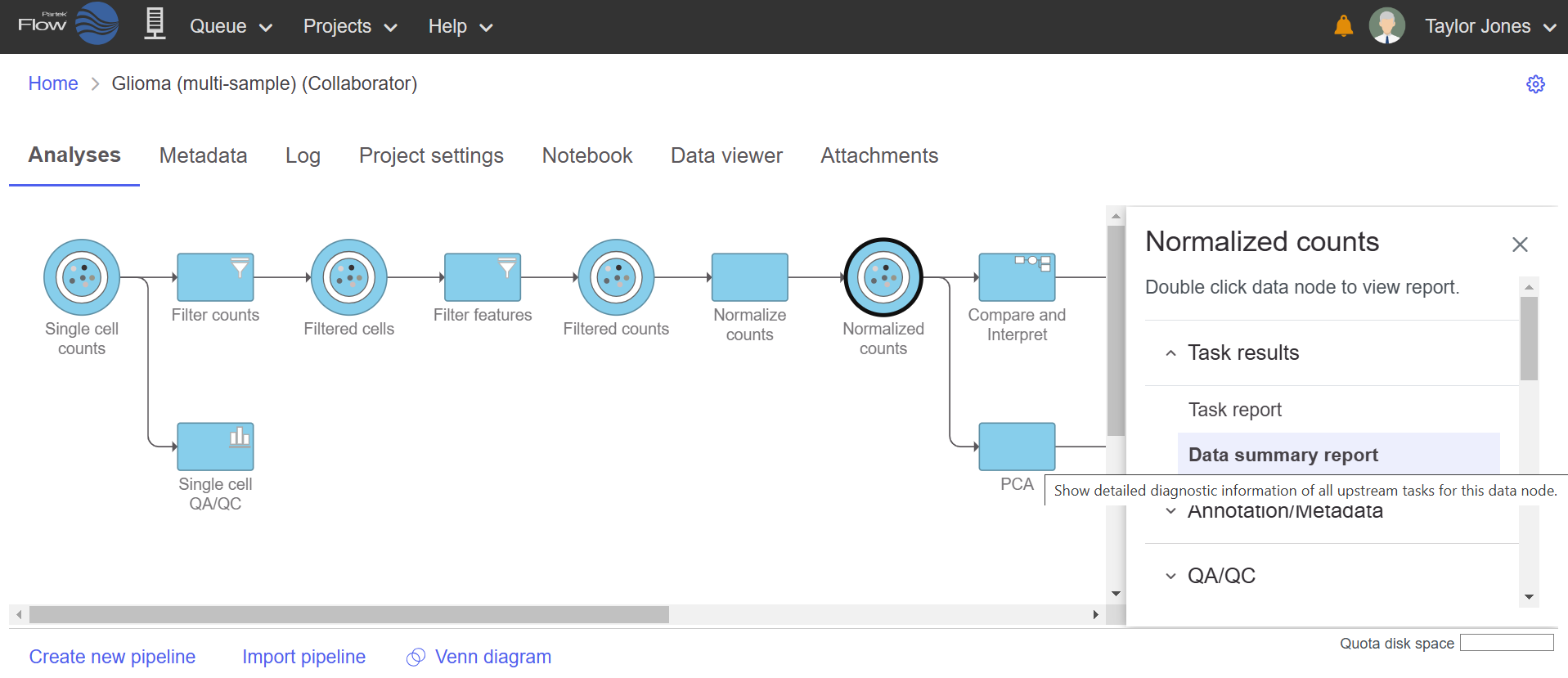
Select the data node (circle) and click Data summary report to show information for all upstream tasks
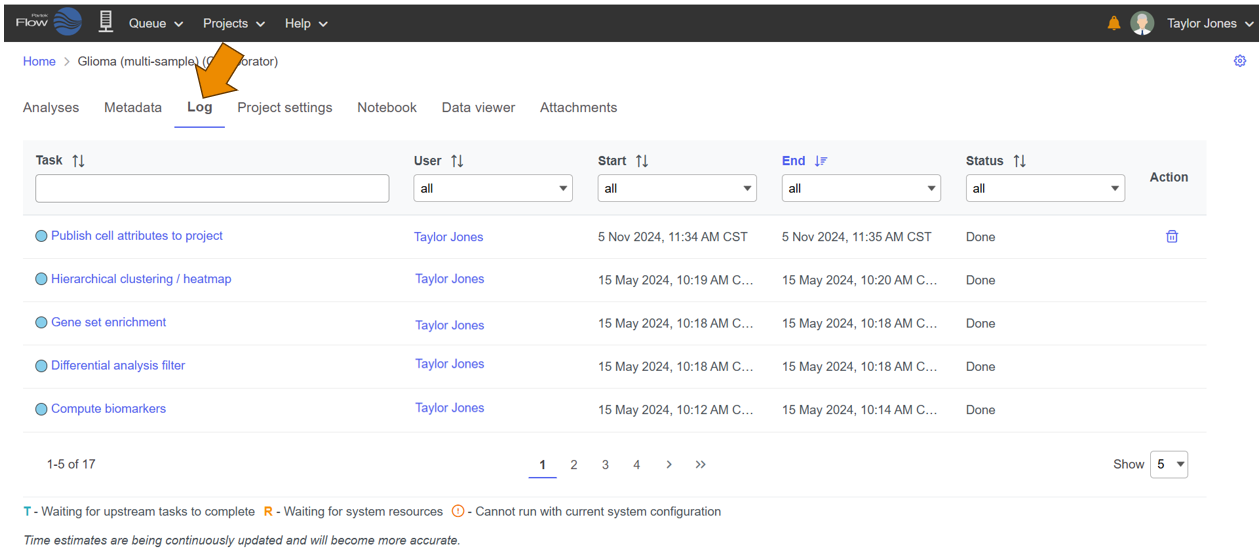
The Log tab is used to view all tasks within the project and enables task management including task progress and links to detailed reports for each task
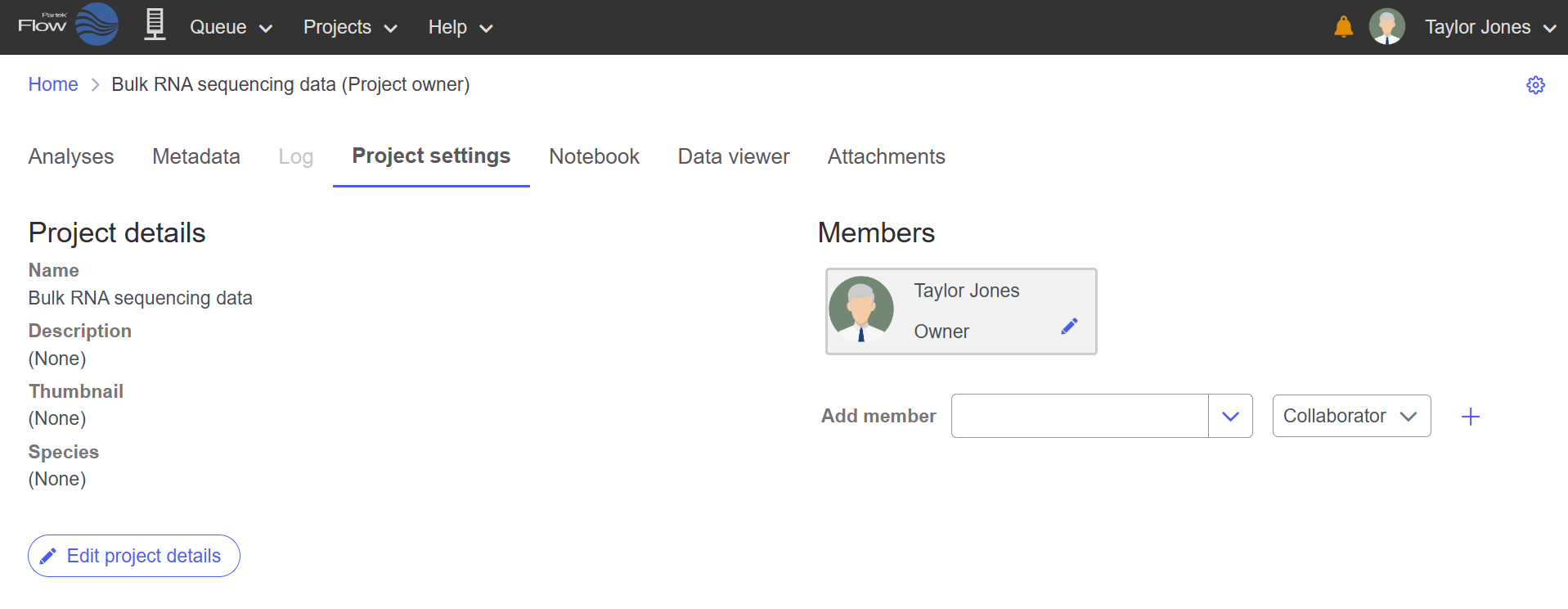
Navigate to the Project settings tab to modify the name of the project and other details like adding collaborators
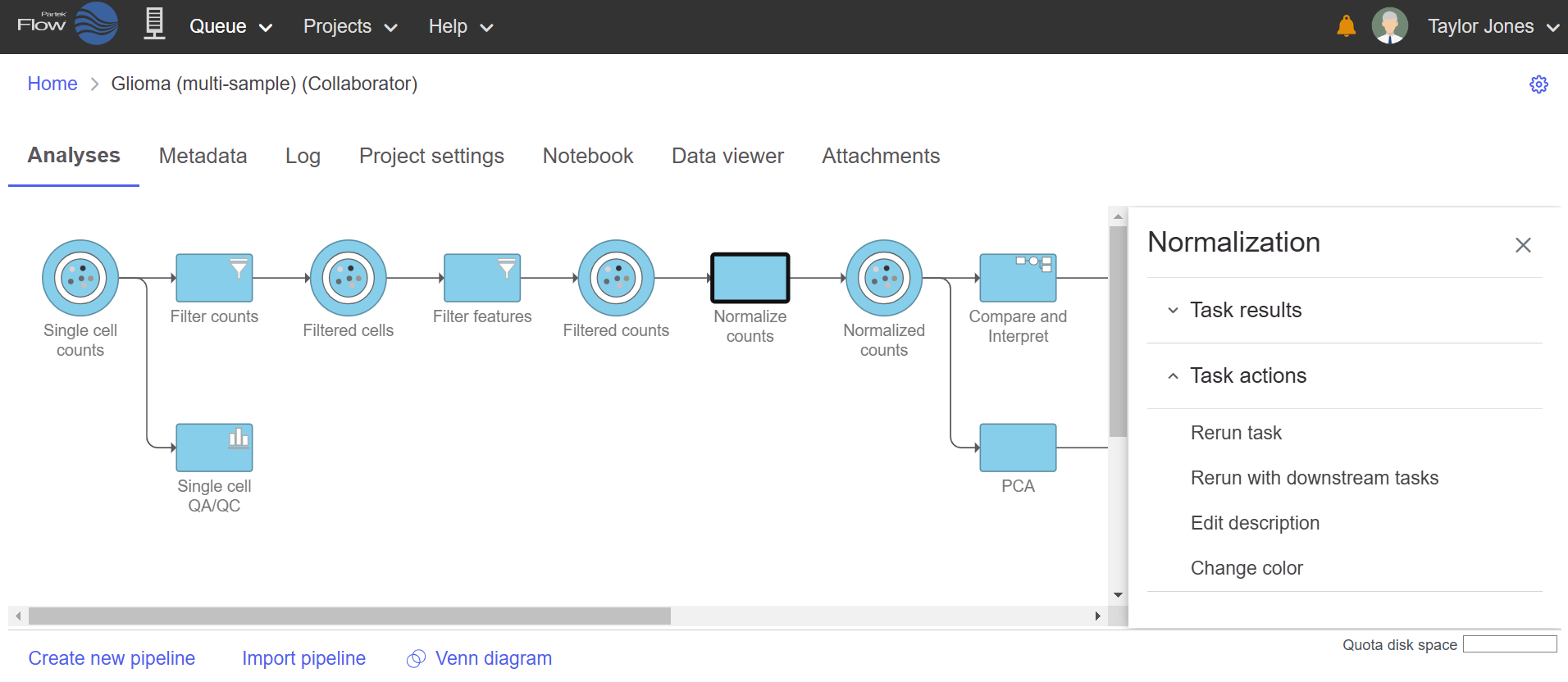
Click the task node (rectangle) to perform task actions in the toolbox (task menu)
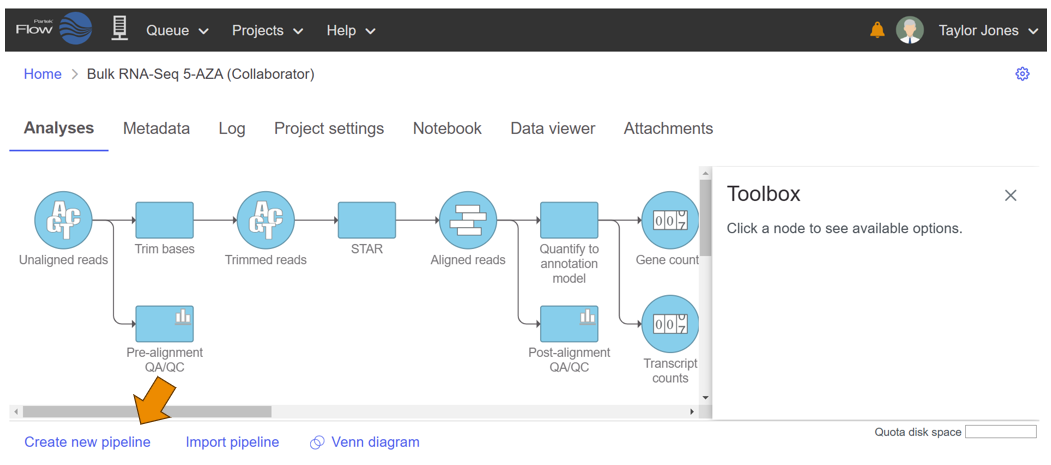
Pipelines can be created for future use by clicking Create new pipeline
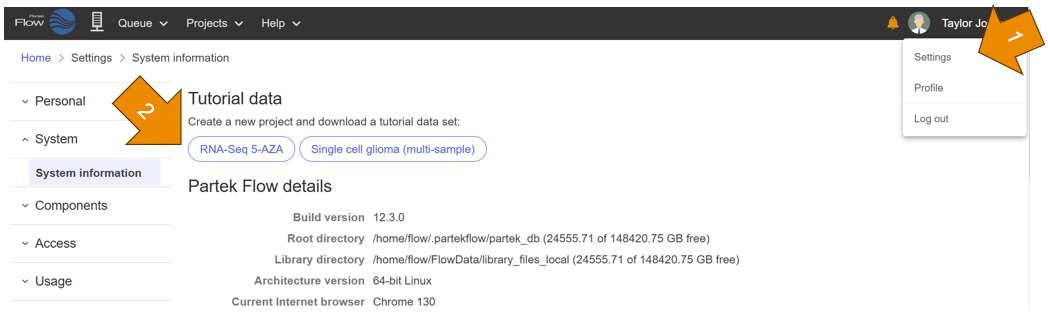
Navigate to the tutorial data by clicking your Avatar, Settings, then the data of interest